Add Mr. Cook to your shortcuts
Want to save recipes even faster? Add Mr. Cook as a favorite shortcut in your Android share options. This allows you to import recipes with just one tap, so you'll have all your favorite recipes saved in no time.
Step-by-step instructions
Note: The exact steps may vary slightly depending on your Android device.
Open your favorite recipe website and tap the Share button to open the share options sheet.

Expand the list to show all apps.
On some devices, you need to scroll down, while on others, you must scroll to the right and tap More
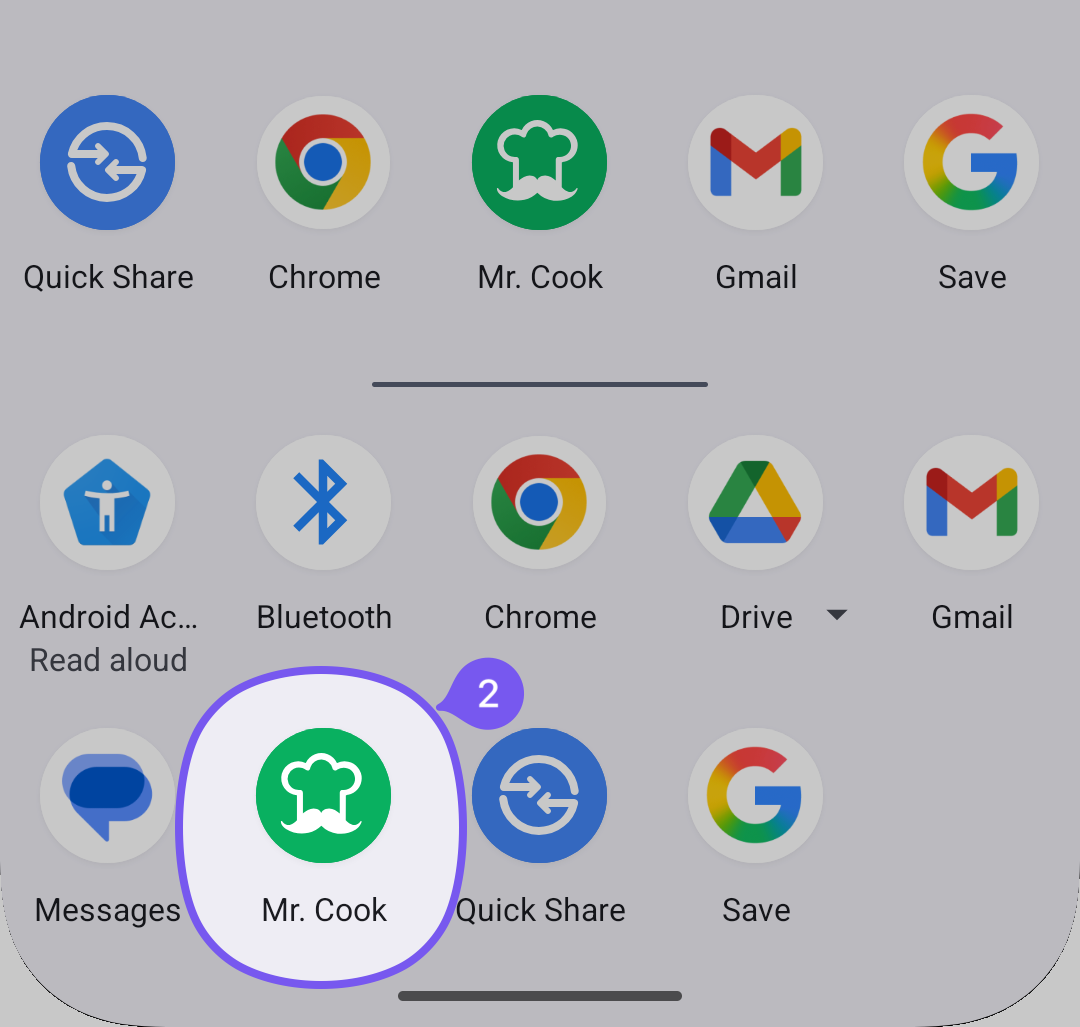
On some devices you have to press a Pencil icon to edit the shortcuts.
Find and select Mr. Cook from the list of apps.
If you can’t find Mr. Cook after installing the app, try restarting your phone.
Pin Mr. Cook to your favorites by long-pressing it or selecting it from the list.
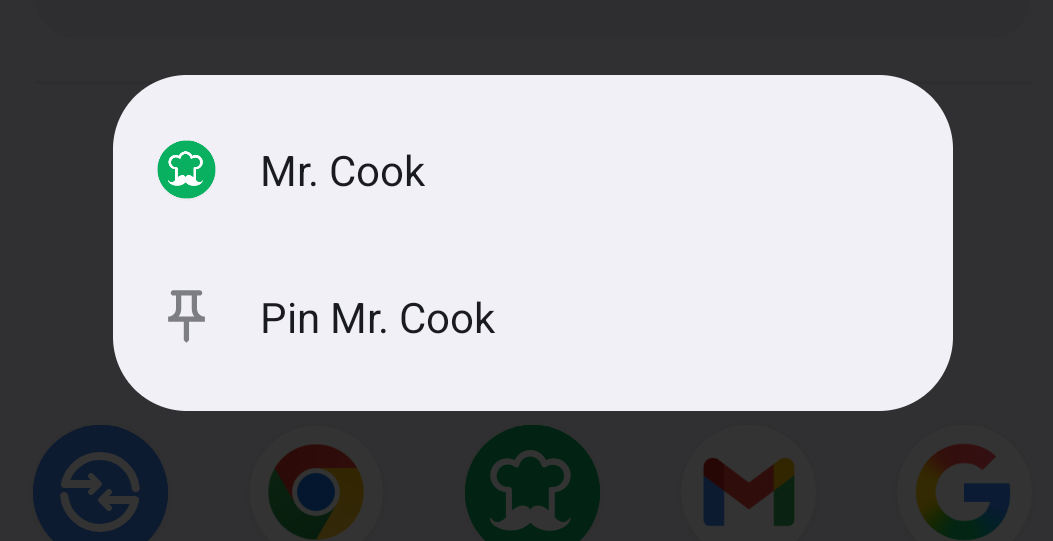
Tap Done to save your changes.
🎉 Congratulations! You are ready to import recipes from your browser or other apps.
Was this helpful?
Still need help? Ask the team