Import from Pinterest
Spotted a recipe tutorial on YouTube? With Mr. Cook’s smart import, you can save it to your collection in just a few taps. 🙌
💡 How it works
💬 Mr. Cook will look for the recipe in the description.
🌐 If there is no recipe, Mr. Cook will try to search for the original recipe website and import it directly.
Step-by-Step Instructions
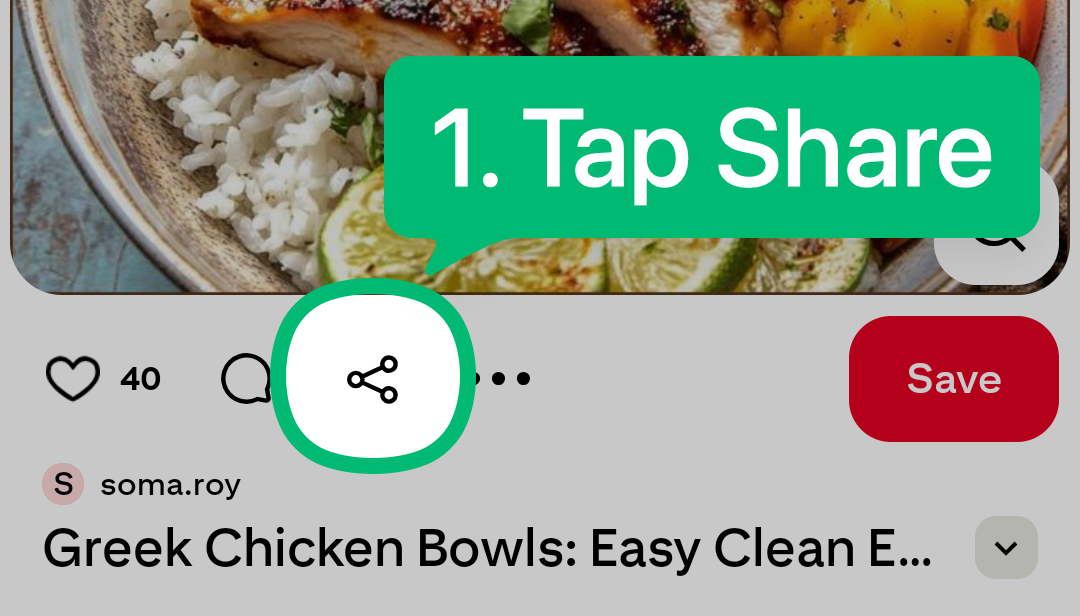
Step 1
Tap the Share icon on any Pinterest Pin.
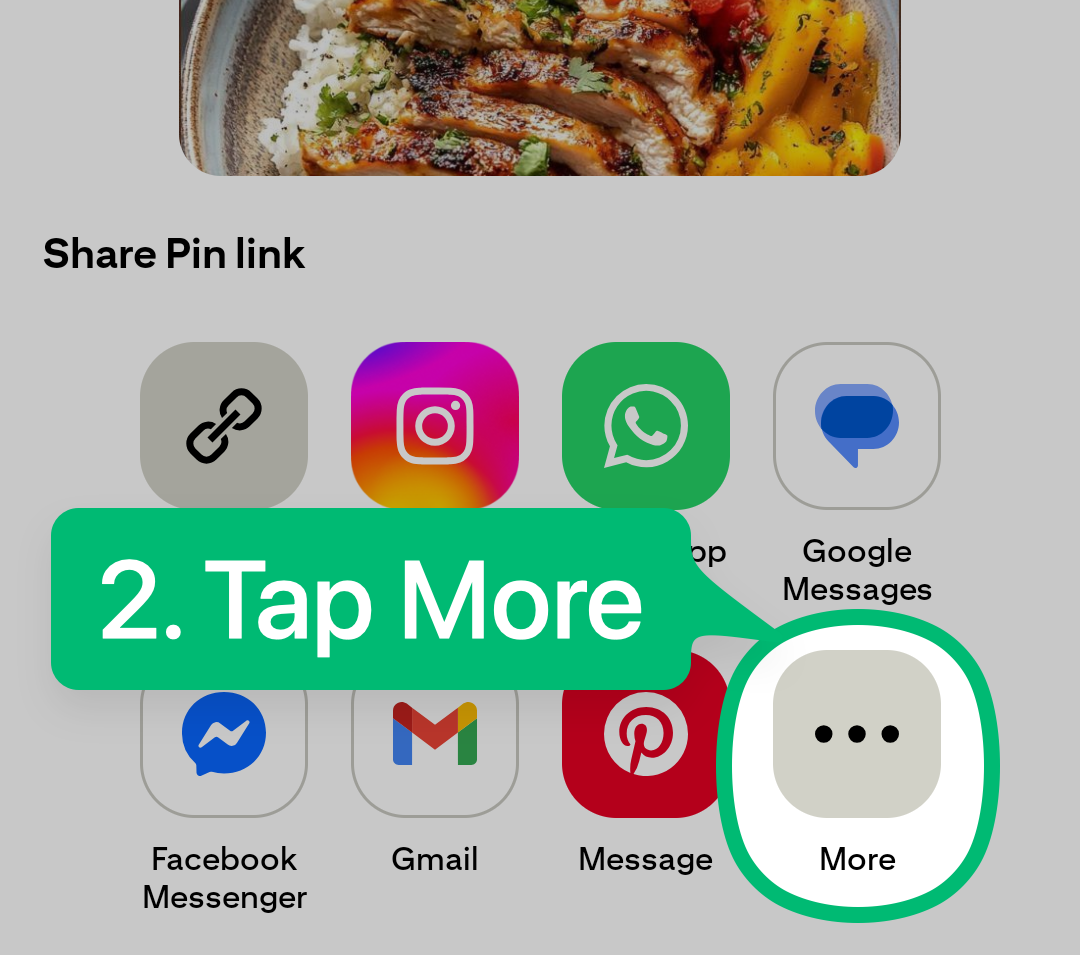
Step 2
Tap on More.
Step 3
Choose Mr. Cook from the list of apps.
💡 Don’t see Mr. Cook? Follow these instructions on how to add your shortcut.

🎉 Congratulations! Your recipe will be saved to Mr. Cook in seconds.
Ready to cook, organize and share.
Was this helpful?
Still need help? Ask the team